Wireframing is the process of creating a basic visual guide to represent the skeletal framework of a website or application. It's like a blueprint for digital products, focusing on structure, functionality, and user flow before visual design elements are added. Emojis can be surprisingly useful when discussing wireframes, providing quick visual cues and adding clarity to communication, especially in informal settings or when collaborating remotely. Using emojis can help convey the intended purpose of different sections, highlight key interactions, and even represent user personas in a simplified manner. This guide explores the best emojis to use when discussing wireframing, their meanings, and how to incorporate them effectively into your workflow.
When choosing emojis for wireframing discussions, consider the context and your audience. Some emojis are universally understood, while others might be more specific to certain platforms or cultures. For example, a simple box emoji 📦 can represent a content placeholder, while a pointing finger 👉 can indicate a call to action. Using a combination of these visual cues can help to quickly communicate complex ideas and ensure everyone is on the same page. Remember to maintain professionalism and avoid overusing emojis, as they are meant to enhance communication, not replace it. This guide provides examples of how to use emojis effectively in wireframing scenarios, offering practical tips and suggestions for incorporating them into your design process.
14+Emoji
8Messages
5Tips
⚡
Quick Copy
Copy most popular emojis with one click
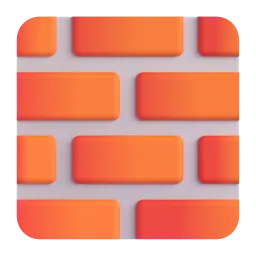
🧱
Brick
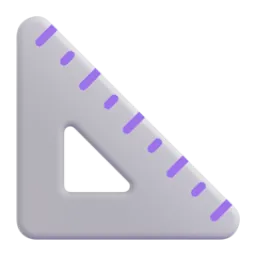
📐
Triangle Ruler
✏️
Pencil
🖱️
Computer Mouse
📱
Mobile Phone
💻
Laptop
📊
Bar Chart
🗺️
World Map
🧪 Emoji Mashups (Emoji Kitchen)
Fun mashups created by combining Wireframing emojis with Emoji Kitchen. Download and use them freely.
Help grow the Wireframing collection! Suggest emojis or symbols you think are missing and contribute to the community.
💡 Missing an emoji/symbol?
📖
Meaning & Usage
🧱
Brick
Represents the building blocks of a website or application. It signifies the fundamental structure and components that make up the user interface. On some platforms, the brick may appear more detailed or stylized.
📐
Triangle Ruler
Symbolizes precision, planning, and the technical aspects of wireframing. It can be used to indicate the careful measurements and alignment involved in creating a layout. The appearance varies slightly across platforms, but the core meaning remains consistent.
✏️
Pencil
Represents the initial sketching and ideation phase of wireframing. It signifies the creative process of outlining the basic structure and functionality. The style of the pencil varies across platforms, from a simple graphite pencil to a colored pencil.
🖱️
Computer Mouse
Represents user interaction and navigation within the wireframe. It signifies the actions users will take to interact with the interface. The design of the mouse varies across platforms, reflecting different hardware styles.
📱
Mobile Phone
Represents the mobile version of a wireframe or the focus on mobile-first design. It signifies the adaptation of the layout for smaller screens. The phone design varies across platforms, reflecting different phone models.
💻
Laptop
Represents the desktop version of a wireframe or the overall design for larger screens. It signifies the layout and functionality as viewed on a computer. The laptop design varies across platforms, reflecting different laptop models.
📱
Platform Appearances
🧱 Brick
Google NotoApache 2.0
Twitter/XCC-BY 4.0
Fluent 3DMIT
OpenMojiCC BY-SA 4.0
📐 Triangle Ruler
Google NotoApache 2.0
Twitter/XCC-BY 4.0
Fluent 3DMIT
OpenMojiCC BY-SA 4.0
✏️ Pencil
Google NotoApache 2.0
Twitter/XCC-BY 4.0
Noto AnimatedApache 2.0
OpenMojiCC BY-SA 4.0
🖱️ Computer Mouse
Google NotoApache 2.0
Twitter/XCC-BY 4.0
OpenMojiCC BY-SA 4.0
📱 Mobile Phone
Google NotoApache 2.0
Twitter/XCC-BY 4.0
Fluent 3DMIT
OpenMojiCC BY-SA 4.0
💻 Laptop
Google NotoApache 2.0
Twitter/XCC-BY 4.0
Noto AnimatedApache 2.0
Fluent 3DMIT
OpenMojiCC BY-SA 4.0
ℹ️ All images shown are from open-licensed sources (Apache 2.0, MIT, CC-BY 4.0, CC BY-SA 4.0) and are free to use.
💬
Ready Messages
Copy and share
Starting the wireframe for the new app! 📱💻 Let's get the basic layout done. 🧱
Need feedback on the user flow. Check out the wireframe and let me know what you think! 🗺️🖱️
Working on the initial sketches for the website. ✏️📐 Any suggestions for the layout?
Here's the wireframe for the landing page. 📊 Let me know if the data representation makes sense.
Revised the wireframe based on your feedback! 🎉 Ready for the next steps.
Wireframing session today at 2 PM! 💻📱 Bring your ideas and let's create something amazing.
Is the wireframe responsive? 📱💻 Make sure it looks good on all devices!
Just finished the wireframe for the checkout process. 🛒➡️✅ What do you think?
🎨
Related Emojis
💻
Devices
📐
Tools
🖱️
Interaction
🧱
Structure
📊
Data
🗺️
Navigation
💡
Usage Tips
🎯
Use Sparingly
Don't overuse emojis. They should enhance communication, not distract from it. Stick to a few key emojis that clearly represent the concepts you're discussing.
🎯
Platform Consistency
Be aware that emojis can look different across platforms (Apple, Google, Samsung, Microsoft, WhatsApp). Choose emojis that are universally recognizable to avoid confusion.
🎯
Context is Key
Always provide context when using emojis. A single emoji can have multiple meanings, so make sure your message is clear and unambiguous.
🎯
Accessibility
Consider users with visual impairments. Use alt text or descriptions for emojis to ensure your message is accessible to everyone.
🎯
Professionalism
Maintain a professional tone, even when using emojis. Avoid overly casual or informal emojis in formal communication.
🔗
Similar Combinations
Discover more emoji combinations related to Wireframing