Website design is a multifaceted process involving creativity, technical skills, and user experience considerations. Emojis can be used to visually represent different aspects of this process, from brainstorming and coding to testing and launching a website. They can add personality to communications, highlight key features, and even serve as visual metaphors for complex concepts. Choosing the right emojis can enhance the clarity and engagement of your messages related to website design, whether you're collaborating with a team, presenting to clients, or sharing your work on social media.
When using emojis in the context of website design, consider your audience and the overall tone you want to convey. Some emojis are more playful and informal, while others are more professional and serious. It's also important to be mindful of cultural differences and potential misinterpretations. For example, a thumbs-up emoji might be considered positive in some cultures but offensive in others. Experiment with different combinations of emojis to find what works best for your specific needs and goals. Remember that less is often more; a few well-chosen emojis can be more effective than a cluttered message filled with irrelevant symbols. Think about the platform you're using as well, as emoji appearance can vary across different operating systems and applications. Always double-check how your emojis will render on different devices to ensure your message is conveyed as intended.
Emojis can also be used to create visual hierarchies and break up large blocks of text. For example, you could use a series of emojis to represent the different stages of the design process, or use a single emoji to highlight a key takeaway. In addition, emojis can be used to add a touch of personality to your website itself. For example, you could use a custom emoji as a favicon or incorporate emojis into your website's branding. By strategically using emojis, you can create a more engaging and memorable user experience.
18+Emoji
8Messages
5Tips
⚡
Quick Copy
Copy most popular emojis with one click
💻
Laptop
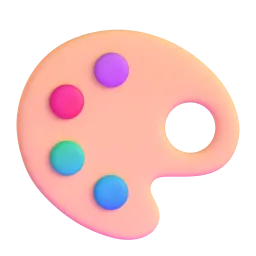
🎨
Artist Palette
🖌️
Paintbrush
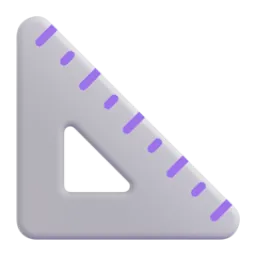
📐
Triangular Ruler
💡
Light Bulb
🌐
Globe with Meridians
📱
Mobile Phone
✅
Check Mark
🛠️
Hammer and Wrench
🚀
Rocket
🧪 Emoji Mashups (Emoji Kitchen)
Fun mashups created by combining Website Design emojis with Emoji Kitchen. Download and use them freely.
Help grow the Website Design collection! Suggest emojis or symbols you think are missing and contribute to the community.
💡 Missing an emoji/symbol?
📖
Meaning & Usage
💻
Laptop
Represents the digital workspace, coding, and general computer-related tasks. It's universally understood as a symbol for technology and can be used to indicate working on a website. On some platforms, the laptop may appear silver or black, while others may show the Apple logo.
🎨
Artist Palette
Symbolizes creativity, design, and visual aesthetics. It's used to represent the artistic aspects of website design, such as color schemes and branding. The colors on the palette can vary slightly across platforms, but the overall meaning remains consistent.
💡
Light Bulb
Represents ideas, innovation, and problem-solving. It's used to indicate brainstorming, new concepts, and creative solutions in website design. Some platforms render the light bulb with a visible filament, while others show a more modern LED design.
🌐
Globe with Meridians
Represents the internet, global reach, and online presence. It's used to indicate the worldwide accessibility of a website. The appearance of the globe can vary, with some platforms showing continents more clearly than others.
📱
Mobile Phone
Represents mobile responsiveness, user experience on mobile devices, and app development. It's used to indicate the importance of mobile-friendly website design. The phone design varies across platforms, reflecting different smartphone models.
✅
Check Mark
Represents completion, approval, and successful implementation. It's used to indicate that a task is finished, a feature is working correctly, or a website is ready to launch. The check mark color is typically green, but the style can vary slightly.
📱
Platform Appearances
💻 Laptop
Google NotoApache 2.0
Twitter/XCC-BY 4.0
Noto AnimatedApache 2.0
Fluent 3DMIT
OpenMojiCC BY-SA 4.0
🎨 Artist Palette
Google NotoApache 2.0
Twitter/XCC-BY 4.0
Fluent 3DMIT
OpenMojiCC BY-SA 4.0
🖌️ Paintbrush
Google NotoApache 2.0
Twitter/XCC-BY 4.0
OpenMojiCC BY-SA 4.0
📐 Triangular Ruler
Google NotoApache 2.0
Twitter/XCC-BY 4.0
Fluent 3DMIT
OpenMojiCC BY-SA 4.0
💡 Light Bulb
Google NotoApache 2.0
Twitter/XCC-BY 4.0
Noto AnimatedApache 2.0
Fluent 3DMIT
OpenMojiCC BY-SA 4.0
🌐 Globe with Meridians
Google NotoApache 2.0
Twitter/XCC-BY 4.0
Fluent 3DMIT
OpenMojiCC BY-SA 4.0
ℹ️ All images shown are from open-licensed sources (Apache 2.0, MIT, CC-BY 4.0, CC BY-SA 4.0) and are free to use.
💬
Ready Messages
Copy and share
Brainstorming website design ideas! 💡💻🎨 Let's get creative!
Coding the new website features. 🛠️🌐 Almost ready to launch! 🚀
Testing the website's mobile responsiveness. 📱✅ Looks great on all devices!
Finalizing the website design. 🎨🖌️📐 Just a few tweaks left!
Website design meeting today at 2 PM. 💻📅 See you there!
New website design proposal is ready for review! 📄💻 Please provide feedback. 👍👎
Launching the new website next week! 🚀🎉 Get ready for the big reveal! 🌐
Need a website designed? Contact me today! 💻🌐💼 Let's build something amazing!
🎨
Related Emojis
🖥️
Desktop Computer
⚙️
Gear
📈
Chart Increasing
🔍
Magnifying Glass
📄
Page with Curl
🔒
Locked
🎨
Artist Palette
🚀
Rocket
💡
Usage Tips
🎯
Use relevant emojis
Choose emojis that directly relate to the specific aspect of website design you're discussing. Avoid using random emojis just for the sake of it.
🎯
Consider platform differences
Be aware that emojis can look different on various platforms (Apple, Google, Samsung, etc.). Test your messages to ensure they appear as intended.
🎯
Keep it concise
Use emojis sparingly to enhance your message, not to replace words entirely. A few well-placed emojis can be more effective than a cluttered message.
🎯
Use for emphasis
Employ emojis to highlight key points or call attention to important information within your website design communications.
🎯
Maintain professionalism
While emojis can add personality, maintain a professional tone, especially when communicating with clients or senior team members. Avoid overly casual or silly emojis.
🔗
Similar Combinations
Discover more emoji combinations related to Website Design