❤️ My Favorites

🎨
🖌️
✏️
🖋️
💻
🚀 Emoji Guide

🎨🖌️ Graphic Design Emojis

Graphic design is the art and profession of visual communication that combines images, words, and ideas to convey information to an audience. In the digital age, emojis have become an integral part of this communication, adding emotional context and visual flair to designs. This guide explores the use of emojis in graphic design, from representing design elements and tools to conveying creative concepts and feedback. Understanding the nuances of emoji usage can help designers communicate more effectively and engage their audience on a deeper level. Whether you're creating social media graphics, website layouts, or branding materials, incorporating emojis thoughtfully can enhance your designs and make them more relatable. This guide will provide you with the knowledge and inspiration to use emojis strategically in your graphic design projects.

17+ Emoji
8 Messages
5 Tips

Quick Copy

Copy most popular emojis with one click

🎨
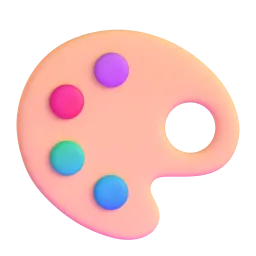
Artist Palette
🖌️
Paintbrush
✏️
Pencil
🖋️
Fountain Pen
💻
Laptop
🗂️
File Cabinet
📐
Triangular Ruler
🌈
Rainbow
Sparkles

🧪 Emoji Mashups (Emoji Kitchen)

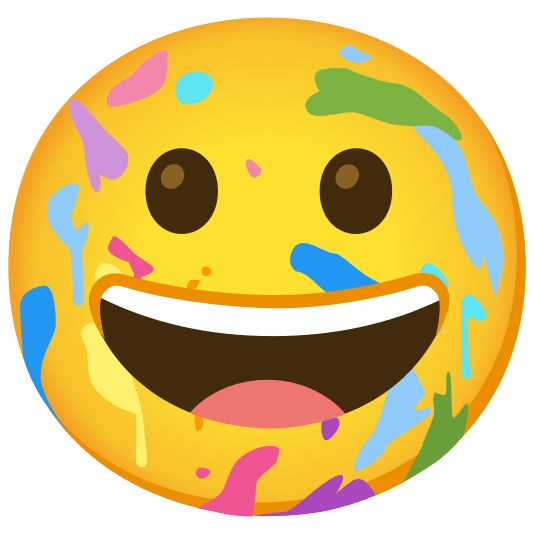
Fun mashups created by combining Graphic Design emojis with Emoji Kitchen. Download and use them freely.

+
🎨 and ✏️ emoji combination - Graphic Design emoji mashup
+
💻 and 🌈 emoji combination - Graphic Design emoji mashup
+
🎨 and 😀 emoji combination - Graphic Design emoji mashup

👥 Community Contributions

✅ 0 approved ⏳ 0 pending

Help grow the Graphic Design collection! Suggest emojis or symbols you think are missing and contribute to the community.

💡 Missing an emoji/symbol?

📖 Meaning & Usage

🎨

Artist Palette

Represents artistic creation, design projects, and color schemes. On Apple, it shows a wooden palette with blobs of paint, while on Google, it's a more modern, flat design. Use it to showcase your design skills or announce a new project.

🖌️

Paintbrush

Symbolizes painting, illustration, and creative expression. The design varies across platforms; Apple's version is more detailed, while Google's is simpler. Use it to highlight your artistic process or promote art-related services.

✏️

Pencil

Represents sketching, drafting, and initial design concepts. Different platforms show varying pencil styles, from classic wooden pencils to mechanical ones. Use it to indicate the start of a design project or to represent detailed work.

💻

Laptop

Represents digital design, software, and online collaboration. The laptop design varies across platforms, but it generally symbolizes technology and productivity. Use it to showcase your digital design skills or promote your online design services.

🌈

Rainbow

Represents color, diversity, and creativity. It's often used to symbolize vibrant designs and inclusive branding. The appearance is consistent across platforms, generally showing a colorful arc. Use it to highlight the colorful aspects of your designs or to promote diversity in your work.

Sparkles

Represents brilliance, innovation, and a touch of magic. It's often used to highlight exceptional design or to add a sense of excitement. The design is similar across platforms, generally showing a cluster of small stars. Use it to emphasize the impact of your designs or to celebrate a successful project.

📱 Platform Appearances

🎨 Artist Palette

Artist Palette Google Noto emoji Google Noto Apache 2.0
Artist Palette Twitter/X emoji Twitter/X CC-BY 4.0
Artist Palette Fluent 3D emoji Fluent 3D MIT
Artist Palette OpenMoji emoji OpenMoji CC BY-SA 4.0

🖌️ Paintbrush

Paintbrush Google Noto emoji Google Noto Apache 2.0
Paintbrush Twitter/X emoji Twitter/X CC-BY 4.0
Paintbrush OpenMoji emoji OpenMoji CC BY-SA 4.0

✏️ Pencil

Pencil Google Noto emoji Google Noto Apache 2.0
Pencil Twitter/X emoji Twitter/X CC-BY 4.0
Pencil Noto Animated emoji Noto Animated Apache 2.0
Pencil OpenMoji emoji OpenMoji CC BY-SA 4.0

🖋️ Fountain Pen

Fountain Pen Google Noto emoji Google Noto Apache 2.0
Fountain Pen Twitter/X emoji Twitter/X CC-BY 4.0
Fountain Pen OpenMoji emoji OpenMoji CC BY-SA 4.0

💻 Laptop

Laptop Google Noto emoji Google Noto Apache 2.0
Laptop Twitter/X emoji Twitter/X CC-BY 4.0
Laptop Noto Animated emoji Noto Animated Apache 2.0
Laptop Fluent 3D emoji Fluent 3D MIT
Laptop OpenMoji emoji OpenMoji CC BY-SA 4.0

🗂️ File Cabinet

File Cabinet Google Noto emoji Google Noto Apache 2.0
File Cabinet Twitter/X emoji Twitter/X CC-BY 4.0
File Cabinet OpenMoji emoji OpenMoji CC BY-SA 4.0

ℹ️ All images shown are from open-licensed sources (Apache 2.0, MIT, CC-BY 4.0, CC BY-SA 4.0) and are free to use.

💬 Ready Messages

Copy and share

Working on a new logo design! ✏️🎨💻

Just finished a website redesign! ✨ Check it out! 💻🌐

Need a creative logo? Let's brainstorm! 💡✏️

Color palettes are my favorite part of design! 🌈🎨

Designing a new brochure for a client! 🗂️🖌️

Getting inspired by nature for my next project! 🌿🎨

Typography is key! 🖋️💻

New branding project in the works! 🚀🎨

💡 Usage Tips

🎯

Use Emojis Sparingly

Don't overcrowd your designs with emojis. Use them strategically to enhance your message, not distract from it. Consider the overall aesthetic and ensure emojis complement your design.

🎯

Consider Platform Differences

Emojis can look different across platforms (Apple, Google, Samsung, etc.). Test your designs on different devices to ensure the emojis display as intended and maintain visual consistency.

🎯

Match Emojis to Your Brand

Choose emojis that align with your brand's personality and tone. If your brand is playful, use more expressive emojis. If it's professional, opt for simpler, more subtle options.

🎯

Use Emojis for Emphasis

Emojis can be used to highlight key points or add emotional context. For example, use a 'sparkles' emoji ✨ to emphasize a new feature or a 'thumbs up' emoji 👍 to show approval.

🎯

Test Emoji Combinations

Experiment with different emoji combinations to create unique visual messages. Be mindful of cultural interpretations and avoid using emojis in a way that could be offensive or misconstrued.

🤖

This content was created with AI technology, enriched with Unicode Consortium data and community contributions. AI Disclosure →

✍️ Emojigo Content Team · Last update: April 2026