❤️ My Favorites

🎬
🎥
🎞️
🖥️
✂️
🚀 Emoji Guide

🎬🎥 Video Software Emojis

Video software is an essential tool for creating, editing, and sharing videos. Whether you're a professional filmmaker, a social media influencer, or just someone who enjoys making home movies, video software allows you to bring your creative vision to life. Emojis can be used to represent various aspects of video software, from the editing process to the final product. They can also be used to communicate about specific features, like transitions, effects, and audio editing. Using emojis in your communication about video software can make it more engaging and accessible, especially for audiences who are less familiar with the technical aspects of video production. This guide will help you understand the best emojis to use when discussing video software, their meanings, and how to use them effectively in your messages.

18+ Emoji
8 Messages
5 Tips

Quick Copy

Copy most popular emojis with one click

🎬
Clapper Board
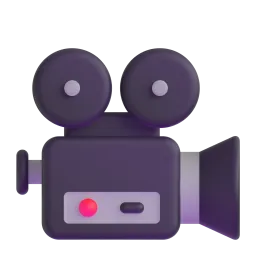
🎥
Movie Camera
🎞️
Film Frames
🖥️
Desktop Computer
✂️
Scissors
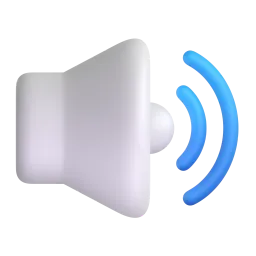
🔊
Speaker
🎵
Musical Note
Sparkles
Check Mark
💾
Floppy Disk

🧪 Emoji Mashups (Emoji Kitchen)

Fun mashups created by combining Video Software emojis with Emoji Kitchen. Download and use them freely.

+
🎬 and 🎞️ emoji combination - Video Software emoji mashup
+
✂️ and ✅ emoji combination - Video Software emoji mashup
+
🎬 and ❤️ emoji combination - Video Software emoji mashup

👥 Community Contributions

✅ 0 approved ⏳ 0 pending

Help grow the Video Software collection! Suggest emojis or symbols you think are missing and contribute to the community.

💡 Missing an emoji/symbol?

📖 Meaning & Usage

🎬

Clapper Board

Represents the start of a video recording or a scene in a film. It is often used to indicate that a video is being filmed or edited. On some platforms, like Apple, the clapperboard is more detailed, while on others, like Samsung, it's simpler.

🎥

Movie Camera

Symbolizes the act of filming or creating a video. Use it to represent the entire video production process. The design varies slightly across platforms, with some showing a more modern digital camera and others a classic film camera.

🎞️

Film Frames

Represents film, movies, and the classic art of filmmaking. It's a good emoji to use when discussing the history of video or the traditional aspects of video editing. The number of frames shown can differ across platforms.

🖥️

Desktop Computer

Represents the hardware used for video editing. It can also symbolize the software running on the computer. The appearance of the computer varies across platforms, showing either an iMac-style design or a more generic desktop.

✂️

Scissors

Represents the action of cutting or trimming video footage. Use it when discussing editing tasks like cutting out unwanted sections. The style of the scissors is generally consistent across platforms.

🔊

Speaker

Symbolizes audio and sound editing. Use it when discussing audio tracks, sound effects, or adjusting volume levels. The speaker design can vary, with some showing sound waves emanating from the speaker.

Sparkles

Represents special effects, transitions, and visual enhancements added to videos. Use it to highlight the creative aspects of video editing. The number and arrangement of sparkles can differ slightly.

📱 Platform Appearances

🎬 Clapper Board

Clapper Board Google Noto emoji Google Noto Apache 2.0
Clapper Board Twitter/X emoji Twitter/X CC-BY 4.0
Clapper Board Noto Animated emoji Noto Animated Apache 2.0
Clapper Board Fluent 3D emoji Fluent 3D MIT
Clapper Board OpenMoji emoji OpenMoji CC BY-SA 4.0

🎥 Movie Camera

Movie Camera Google Noto emoji Google Noto Apache 2.0
Movie Camera Twitter/X emoji Twitter/X CC-BY 4.0
Movie Camera Fluent 3D emoji Fluent 3D MIT
Movie Camera OpenMoji emoji OpenMoji CC BY-SA 4.0

🎞️ Film Frames

Film Frames Google Noto emoji Google Noto Apache 2.0
Film Frames Twitter/X emoji Twitter/X CC-BY 4.0
Film Frames Noto Animated emoji Noto Animated Apache 2.0
Film Frames OpenMoji emoji OpenMoji CC BY-SA 4.0

🖥️ Desktop Computer

Desktop Computer Google Noto emoji Google Noto Apache 2.0
Desktop Computer Twitter/X emoji Twitter/X CC-BY 4.0
Desktop Computer OpenMoji emoji OpenMoji CC BY-SA 4.0

✂️ Scissors

Scissors Google Noto emoji Google Noto Apache 2.0
Scissors Twitter/X emoji Twitter/X CC-BY 4.0
Scissors Noto Animated emoji Noto Animated Apache 2.0
Scissors OpenMoji emoji OpenMoji CC BY-SA 4.0

🔊 Speaker

Speaker Google Noto emoji Google Noto Apache 2.0
Speaker Twitter/X emoji Twitter/X CC-BY 4.0
Speaker Fluent 3D emoji Fluent 3D MIT
Speaker OpenMoji emoji OpenMoji CC BY-SA 4.0

ℹ️ All images shown are from open-licensed sources (Apache 2.0, MIT, CC-BY 4.0, CC BY-SA 4.0) and are free to use.

💬 Ready Messages

Copy and share

Just finished editing my new video! 🎬 Check it out! ✅

Working on a new film project! 🎥 So excited! ✨

Need to trim this video down ✂️ Any tips? 🤔

Adding some cool audio effects 🔊 to my video! 🎵

Rendering the final version of the video... 🖥️ 💾

Learning new video editing techniques! 🤓 🎞️

The film frames 🎞️ really give it that vintage feel! ✨

Finally exported the video! ✅ Time to share it! 🎉

💡 Usage Tips

🎯

Use Contextually

Choose emojis that directly relate to the specific aspect of video software you're discussing. Avoid using random emojis that don't add meaning.

🎯

Platform Awareness

Be aware that emojis can look different across platforms (Apple, Google, Samsung, Microsoft, WhatsApp). Test how your message appears on different devices to ensure clarity.

🎯

Combine Emojis

Combine multiple emojis to create more complex and nuanced meanings. For example, 🎬 + ✂️ can represent the editing process of a film.

🎯

Avoid Overuse

Don't overuse emojis. Too many emojis can make your message look cluttered and unprofessional. Use them sparingly to highlight key points.

🎯

Consider Your Audience

Think about your audience when using emojis. Some audiences may be more receptive to emojis than others. Adjust your emoji usage accordingly.

🤖

This content was created with AI technology, enriched with Unicode Consortium data and community contributions. AI Disclosure →

✍️ Emojigo Content Team · Last update: April 2026