Wi-Fi, short for Wireless Fidelity, has become an indispensable part of modern life, connecting us to the internet wirelessly. Expressing the concept of Wi-Fi through emojis can be tricky, as there isn't a single, universally recognized Wi-Fi emoji. Instead, we rely on a combination of symbols and context to convey the idea of connectivity, internet access, and being online. This guide explores the various emojis that can be used to represent Wi-Fi, their nuances, and how to effectively use them in your digital communications. From the signal strength bars to the globe and computer emojis, we'll delve into the subtle ways to indicate that you're connected and ready to browse, stream, or communicate. Understanding these emoji combinations can help you clearly and creatively express your digital state in messages, social media posts, and more.
17+Emoji
8Messages
5Tips
⚡
Quick Copy
Copy most popular emojis with one click
📶
Signal Strength
🌐
Globe with Meridians
💻
Laptop Computer
📱
Mobile Phone
📡
Satellite Antenna
✅
Check Mark
❌
Cross Mark
🤔
Thinking Face
🚀
Rocket
🧪 Emoji Mashups (Emoji Kitchen)
Fun mashups created by combining Wi-Fi emojis with Emoji Kitchen. Download and use them freely.
Help grow the Wi-Fi collection! Suggest emojis or symbols you think are missing and contribute to the community.
💡 Missing an emoji/symbol?
📖
Meaning & Usage
📶
Signal Strength
This emoji represents the strength of a wireless signal, often used to indicate Wi-Fi connectivity. A full signal suggests a strong connection, while fewer bars indicate a weaker signal. It's commonly used to show that you have good Wi-Fi or to ask about the signal strength in a particular location. The appearance varies slightly across platforms, but the core meaning remains the same.
🌐
Globe with Meridians
This emoji symbolizes the internet and global connectivity. While not specifically Wi-Fi, it's often used to represent being online and having access to the World Wide Web, which is usually facilitated by Wi-Fi. It can be used to indicate that you're connected and able to browse or access online services. The design varies across platforms, with some showing a more detailed globe than others.
💻
Laptop Computer
The laptop emoji represents a device that commonly uses Wi-Fi to connect to the internet. It can be used to indicate that you're working online, browsing the web, or using applications that require an internet connection. Combining it with other emojis like 📶 or 🌐 can further emphasize the Wi-Fi aspect. The laptop design varies slightly between platforms, showing different laptop models.
📱
Mobile Phone
Similar to the laptop, the mobile phone emoji represents a device that frequently uses Wi-Fi. It can indicate that you're using your phone to access the internet, browse social media, or use apps that require a Wi-Fi connection. It's often used in conjunction with other emojis to convey the idea of being connected on the go. The phone design varies across platforms, reflecting different smartphone models.
📡
Satellite Antenna
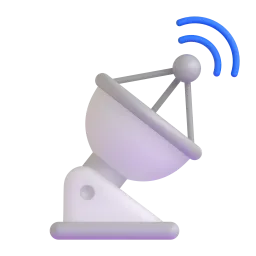
This emoji represents a satellite dish, often associated with broadcasting and receiving signals. While not directly Wi-Fi, it can be used to symbolize wireless communication and connectivity in a broader sense. It's less common in everyday Wi-Fi conversations but can be useful in technical contexts. The design is fairly consistent across platforms, showing a dish-shaped antenna.
✅
Check Mark
The check mark emoji can be used to confirm that a Wi-Fi connection has been successfully established. It's a simple and effective way to indicate that you're connected and ready to go. It often appears in troubleshooting scenarios or when confirming network settings. The appearance is consistent across platforms.
📱
Platform Appearances
📶 Signal Strength
Google NotoApache 2.0
Twitter/XCC-BY 4.0
Fluent 3DMIT
OpenMojiCC BY-SA 4.0
🌐 Globe with Meridians
Google NotoApache 2.0
Twitter/XCC-BY 4.0
Fluent 3DMIT
OpenMojiCC BY-SA 4.0
💻 Laptop Computer
Google NotoApache 2.0
Twitter/XCC-BY 4.0
Noto AnimatedApache 2.0
Fluent 3DMIT
OpenMojiCC BY-SA 4.0
📱 Mobile Phone
Google NotoApache 2.0
Twitter/XCC-BY 4.0
Fluent 3DMIT
OpenMojiCC BY-SA 4.0
📡 Satellite Antenna
Google NotoApache 2.0
Twitter/XCC-BY 4.0
Fluent 3DMIT
OpenMojiCC BY-SA 4.0
✅ Check Mark
Google NotoApache 2.0
Twitter/XCC-BY 4.0
Noto AnimatedApache 2.0
Fluent 3DMIT
OpenMojiCC BY-SA 4.0
ℹ️ All images shown are from open-licensed sources (Apache 2.0, MIT, CC-BY 4.0, CC BY-SA 4.0) and are free to use.
💬
Ready Messages
Copy and share
Finally connected to the Wi-Fi! ✅📶
No Wi-Fi here... 😔🌐
Working from home today! 💻📶
Need Wi-Fi ASAP! 🤔📱
Wi-Fi is down! ❌
Streaming movies with strong Wi-Fi! 🚀📶
Checking emails on my phone 📱 using the hotel Wi-Fi 📶
Wi-Fi signal is weak here 😔📶
🎨
Related Emojis
📶
Signal
🌐
Internet
💻
Laptop
📱
Phone
📡
Antenna
✅
Connected
❌
Disconnected
🤔
Thinking
💡
Usage Tips
🎯
Combine Emojis for Clarity
Use multiple emojis to clearly convey the meaning. For example, 📱📶 indicates using Wi-Fi on your phone.
🎯
Context is Key
The meaning of emojis can change based on context. Use them in a way that aligns with the surrounding text.
🎯
Platform Variations
Be aware that emojis can look different across platforms (Apple, Google, Samsung, etc.). Test your messages to ensure they're understood as intended.
🎯
Use with Text
Emojis are best used to supplement text, not replace it entirely. Provide enough context for the emojis to be understood.
🎯
Consider Audience
Think about your audience when using emojis. Some people may not be familiar with certain emojis or their meanings.