Navigating the world of security checks, whether at the airport, online, or even in your own home, can be a complex process. Emojis offer a fun and concise way to communicate about these situations. This guide explores emojis that represent various aspects of security checks, from the physical procedures at airports to the digital safeguards protecting our online data. Understanding the nuances of these emojis can help you express yourself more clearly and add a touch of levity to potentially stressful situations.
When using security-related emojis, consider your audience and the context of your message. A simple padlock emoji might suffice for a general discussion about online security, while a combination of emojis might be needed to convey the experience of going through airport security. Be mindful of cultural differences as well; some symbols may have different connotations in different parts of the world. For example, while a police officer emoji is generally understood, the specific uniform and equipment depicted can vary significantly across platforms and cultures. Ultimately, the goal is to communicate clearly and effectively, using emojis to enhance your message rather than confuse it.
This guide will delve into the meanings of various security-related emojis, provide examples of how to use them in messages, and offer tips for choosing the right emoji for the occasion. We'll also explore related topics that often intersect with security checks, such as travel, technology, and law enforcement. By the end of this guide, you'll be well-equipped to navigate the world of security checks with emojis like a pro.
16+Emoji
8Messages
5Tips
⚡
Quick Copy
Copy most popular emojis with one click
🛂
Passport Control
👮
Police Officer
🔒
Locked
🔓
Unlocked
🚨
Police Car Light
💻
Laptop
📱
Mobile Phone
🛡️
Shield
🧪 Emoji Mashups (Emoji Kitchen)
Fun mashups created by combining Security Check emojis with Emoji Kitchen. Download and use them freely.
Help grow the Security Check collection! Suggest emojis or symbols you think are missing and contribute to the community.
💡 Missing an emoji/symbol?
📖
Meaning & Usage
🛂
Passport Control Emoji
Represents passport control or immigration. Often used in the context of travel and international borders. On some platforms, it appears as a person presenting a passport to an official.
👮
Police Officer Emoji
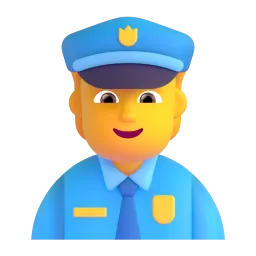
Represents law enforcement and security personnel. The appearance varies across platforms, with different uniforms and genders depicted. It can be used to indicate safety, authority, or crime.
🔒
Locked Emoji
Symbolizes security, privacy, and protection. It can be used to indicate that something is secured, such as a door, a file, or an online account. The visual style of the lock varies slightly between platforms.
🔓
Unlocked Emoji
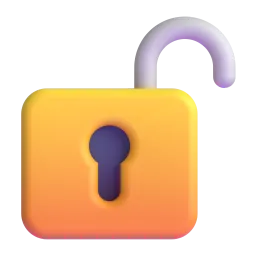
Represents the opposite of the locked emoji, indicating that something is accessible or unsecured. It can be used to show that a door is open, a file is decrypted, or an account is vulnerable. The design varies across platforms.
🚨
Police Car Light Emoji
Represents emergency situations, alerts, and law enforcement presence. It can be used to indicate danger, urgency, or a security breach. The color and style of the light vary across platforms.
💻
Laptop Emoji
Represents computers and technology, often used in the context of online security and data protection. It can symbolize cybersecurity measures, software updates, or potential vulnerabilities. The laptop design varies across platforms.
📱
Platform Appearances
🛂 Passport Control
Google NotoApache 2.0
Twitter/XCC-BY 4.0
OpenMojiCC BY-SA 4.0
👮 Police Officer
Google NotoApache 2.0
Twitter/XCC-BY 4.0
Fluent 3DMIT
OpenMojiCC BY-SA 4.0
🔒 Locked
Google NotoApache 2.0
Twitter/XCC-BY 4.0
Noto AnimatedApache 2.0
Fluent 3DMIT
OpenMojiCC BY-SA 4.0
🔓 Unlocked
Google NotoApache 2.0
Twitter/XCC-BY 4.0
Fluent 3DMIT
OpenMojiCC BY-SA 4.0
🚨 Police Car Light
Google NotoApache 2.0
Twitter/XCC-BY 4.0
Noto AnimatedApache 2.0
Fluent 3DMIT
OpenMojiCC BY-SA 4.0
💻 Laptop
Google NotoApache 2.0
Twitter/XCC-BY 4.0
Noto AnimatedApache 2.0
Fluent 3DMIT
OpenMojiCC BY-SA 4.0
ℹ️ All images shown are from open-licensed sources (Apache 2.0, MIT, CC-BY 4.0, CC BY-SA 4.0) and are free to use.
💬
Ready Messages
Copy and share
Just passed through airport security! ✈️🛂 No problems at all. ✅
Remember to lock your computer when you step away from your desk! 💻🔒
I'm updating my password for better online security. 🔑🛡️
Received a suspicious email. 🚨 Definitely a phishing attempt! 🎣
My bank account was hacked! 😭 I'm reporting it to the police. 👮🚨
Successfully installed the new security update! 💻✅ Feeling much safer now. 🛡️
Don't forget to enable two-factor authentication for extra security! 📱🔒
Headed to the airport! ✈️ Wish me luck with security! 🤞🛂
🎨
Related Emojis
🧳
Travel
🔑
Key
🕵️
Detective
🔒
Lock
💻
Computer
📱
Mobile Phone
🛂
Passport Control
🚨
Police Car Light
💡
Usage Tips
🎯
Context is Key
Choose emojis that accurately reflect the specific type of security check you're referring to. Airport security requires different emojis than online security.
🎯
Platform Variations
Be aware that the appearance of emojis can vary across platforms (Apple, Google, Samsung, etc.). Test your messages to ensure they are interpreted as intended.
🎯
Combine Emojis
Use multiple emojis to create a more detailed and nuanced message. For example, use ✈️🛂 to represent airport passport control.
🎯
Avoid Misinterpretation
Be mindful of cultural differences and potential misinterpretations. Some emojis may have different meanings in different contexts.
🎯
Use Sparingly
Don't overuse emojis. A few well-chosen emojis can enhance your message, but too many can make it confusing or unprofessional.
🔗
Similar Combinations
Discover more emoji combinations related to Security Check