Locked
Represents security, privacy, and protection. Use it to remind colleagues to lock doors, computers, or sensitive information. On some platforms, it may appear as a padlock, while on others it's a more stylized lock.
Navigating office security can be complex, but emojis can help simplify communication and add a touch of clarity to potentially sensitive topics. This guide provides a comprehensive look at how to use emojis effectively in the context of office security, covering everything from physical safety to data protection. Whether you're reminding colleagues to lock doors, reporting suspicious activity, or discussing cybersecurity protocols, emojis can convey your message quickly and efficiently. Understanding the nuances of each emoji is crucial to avoid misinterpretations and ensure your message is received as intended. Consider the platform you're using, as emoji appearance can vary across different operating systems and applications, potentially altering the tone of your message. By using emojis thoughtfully, you can promote a safer and more secure work environment while maintaining a professional and approachable demeanor. Emojis can also be used to reinforce security awareness training. For example, using the 🔒 (locked) emoji when reminding employees to secure their computers before leaving their desks, or the 🚨 (alarm) emoji when discussing emergency procedures. The key is to use emojis sparingly and appropriately, ensuring they complement the message without detracting from its seriousness. In addition to internal communication, emojis can also be used in external communications, such as social media posts promoting cybersecurity tips or website banners highlighting data privacy policies. Remember to maintain a consistent tone and brand voice when using emojis in external communications. By incorporating emojis into your office security strategy, you can create a more engaging and accessible approach to promoting safety and security awareness.
Copy most popular emojis with one click
Fun mashups created by combining Office Security emojis with Emoji Kitchen. Download and use them freely.
Help grow the Office Security collection! Suggest emojis or symbols you think are missing and contribute to the community.
💡 Missing an emoji/symbol?
Represents security, privacy, and protection. Use it to remind colleagues to lock doors, computers, or sensitive information. On some platforms, it may appear as a padlock, while on others it's a more stylized lock.
Indicates an emergency, alert, or urgent situation. Use it to signal a security breach, fire alarm, or any immediate threat. The appearance varies across platforms, with some showing a flashing light and others a stationary police car.
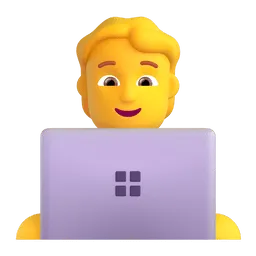
Represents someone working with technology, often in a cybersecurity or IT role. Use it when discussing IT security protocols or reporting technical issues. The gender and appearance can vary across platforms.
Symbolizes protection, defense, and security measures. Use it when discussing firewalls, antivirus software, or other protective measures. The design varies, with some platforms showing a simple shield and others a more ornate one.
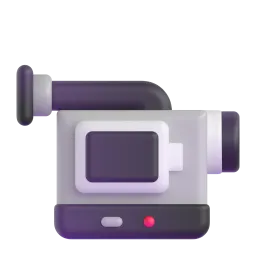
Represents surveillance, monitoring, and security cameras. Use it when discussing CCTV systems or reporting suspicious activity caught on camera. Some platforms show a traditional video camera, while others depict a more modern surveillance camera.
Symbolizes access, authorization, and control. Use it when discussing access control systems, keycards, or password management. The design can vary from a simple metal key to a more ornate or digital key.
Noto Animated
Apache 2.0
Noto Animated
Apache 2.0
ℹ️ All images shown are from open-licensed sources (Apache 2.0, MIT, CC-BY 4.0, CC BY-SA 4.0) and are free to use.
Copy and share
Always consider the context of your message and the recipient when using security-related emojis. Avoid using them in overly sensitive or critical situations where clarity is paramount.
Be aware that emojis can appear differently across various platforms (Apple, Android, Windows, etc.). Test your messages on different devices to ensure the emojis are displaying as intended.
Combine emojis strategically to create more nuanced meanings. For example, 💻🔒 can represent securing a laptop, while 🚨🔥 can represent a fire alarm.
Maintain a professional tone when using emojis in office communications. Avoid using overly playful or informal emojis in security-related messages.
Consider users with visual impairments. Provide text descriptions for emojis when possible to ensure accessibility.
This content was created with AI technology, enriched with Unicode Consortium data and community contributions. AI Disclosure →