Firewalls are essential for protecting our digital lives, acting as a barrier against cyber threats. While there isn't a single, universally recognized "firewall emoji," we can use a combination of emojis to represent the concept of security, protection, and digital defense. This guide explores how to creatively use emojis to convey the idea of a firewall in your messages and social media posts. Think of emojis like shields, locks, and computers to symbolize the different aspects of a firewall's function.
Using emojis to represent firewalls can add a layer of visual communication to technical discussions. For example, you might use a shield emoji to show protection, a lock emoji to represent security, or a computer emoji with a warning sign to indicate a potential threat being blocked. The context of your message will help determine the most appropriate emojis to use. Consider your audience and the overall tone you want to convey. A playful approach might involve using more lighthearted emojis, while a serious message might call for more direct and serious symbols. Combining emojis thoughtfully can create a powerful visual representation of a firewall's role in safeguarding our digital world.
Remember that emoji interpretation can vary across platforms and cultures. While a particular emoji might clearly represent security to you, it could have a slightly different connotation for someone else. Always consider your audience and the potential for misinterpretation when using emojis in a technical context. By carefully selecting and combining emojis, you can effectively communicate the concept of a firewall and its importance in protecting our digital assets.
17+Emoji
8Messages
5Tips
⚡
Quick Copy
Copy most popular emojis with one click
🛡️
Shield
🔒
Lock
💻
Computer
⚠️
Warning
⛔
No Entry
🌐
Globe with Meridians
🔑
Key
✅
Check Mark
🔥
Fire
🧪 Emoji Mashups (Emoji Kitchen)
Fun mashups created by combining Firewall emojis with Emoji Kitchen. Download and use them freely.
Help grow the Firewall collection! Suggest emojis or symbols you think are missing and contribute to the community.
💡 Missing an emoji/symbol?
📖
Meaning & Usage
🛡️
Shield
Represents protection and defense. In the context of a firewall, it symbolizes the barrier against cyber threats. On different platforms, the shield design varies, from a classic medieval shield to a more modern, abstract representation.
🔒
Lock
Signifies security and privacy. It indicates that access is restricted and data is protected. The lock emoji is generally consistent across platforms, but the level of detail and shading may differ.
💻
Computer
Represents the device being protected by the firewall. It can also symbolize the digital world in general. The computer emoji often shows a desktop computer, but some platforms may display a laptop.
⚠️
Warning
Indicates a potential threat or security risk. It can be used to show that the firewall is detecting and blocking malicious activity. The warning emoji is typically a yellow triangle with a black exclamation point.
⛔
No Entry
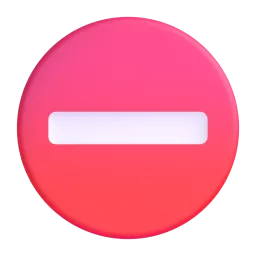
Symbolizes blocked access and restricted entry. In the context of a firewall, it represents the prevention of unauthorized access to a system or network. This emoji is usually a red circle with a white horizontal line.
🌐
Globe with Meridians
Represents the internet and the global network. It can be used to show the connection that the firewall is protecting. The globe emoji varies in design, with some platforms showing continents and others only meridians.
📱
Platform Appearances
🛡️ Shield
Google NotoApache 2.0
Twitter/XCC-BY 4.0
🔒 Lock
Google NotoApache 2.0
Twitter/XCC-BY 4.0
Noto AnimatedApache 2.0
Fluent 3DMIT
OpenMojiCC BY-SA 4.0
💻 Computer
Google NotoApache 2.0
Twitter/XCC-BY 4.0
Noto AnimatedApache 2.0
Fluent 3DMIT
OpenMojiCC BY-SA 4.0
⚠️ Warning
Google NotoApache 2.0
Twitter/XCC-BY 4.0
Noto AnimatedApache 2.0
OpenMojiCC BY-SA 4.0
⛔ No Entry
Google NotoApache 2.0
Twitter/XCC-BY 4.0
Fluent 3DMIT
OpenMojiCC BY-SA 4.0
🌐 Globe with Meridians
Google NotoApache 2.0
Twitter/XCC-BY 4.0
Fluent 3DMIT
OpenMojiCC BY-SA 4.0
ℹ️ All images shown are from open-licensed sources (Apache 2.0, MIT, CC-BY 4.0, CC BY-SA 4.0) and are free to use.
💬
Ready Messages
Copy and share
Firewall activated! 🛡️🔒 Your data is safe. ✅
Potential threat detected! ⚠️ Firewall is blocking it. ⛔
Strengthening our network security with a new firewall. 💻🛡️
Is your firewall up-to-date? 🌐🔒 Stay protected online!
Cybersecurity is key! 🔑 Make sure your firewall is enabled. ✅
Building a strong digital defense. 🛡️💻 Firewall in place!
Protect your online presence with a reliable firewall. 🛡️🌐
Firewall working hard to keep the bad guys out! ⛔🛡️
🎨
Related Emojis
🛡️
Security
🔒
Privacy
💻
Technology
🌐
Internet
⚠️
Alerts
✅
Confirmation
🔑
Access
🔥
Attack
💡
Usage Tips
🎯
Combine for Clarity
Use multiple emojis to create a clearer picture. For example, 💻🛡️🔒 shows a computer being protected by a firewall.
🎯
Consider Platform Differences
Emojis can look different across platforms (Apple, Google, Samsung, etc.). Test your emoji combinations to ensure they convey the intended meaning on different devices.
🎯
Use Context Clues
The surrounding text provides context for the emojis. Make sure your message clearly relates to firewalls and security.
🎯
Avoid Overuse
Too many emojis can be distracting. Use them sparingly to highlight key points and add visual interest.
🎯
Test on Different Devices
Always test your emoji messages on different devices and operating systems to ensure they display correctly and convey the intended meaning.
🔗
Similar Combinations
Discover more emoji combinations related to Firewall