Clapper Board
Represents filmmaking, video production, and the start of a scene. Use it to indicate the beginning of a project or a new editing session. On some platforms like Apple, it appears more detailed than on others like Google.
Davinci Resolve is a powerful video editing software used by professionals and enthusiasts alike. Expressing your passion for video editing, sharing your workflow, or simply discussing your latest project can be enhanced with the right emojis. This guide provides a curated selection of emojis to represent various aspects of Davinci Resolve, from color grading and editing to rendering and exporting. Learn how to effectively communicate your video editing journey using emojis, adding visual flair and clarity to your messages and social media posts. Whether you're a seasoned editor or just starting out, these emojis will help you connect with the video editing community and showcase your creative endeavors. Explore the meanings behind each emoji and discover how to use them in different contexts to convey your message effectively and creatively. From the technical aspects of editing to the artistic expression of filmmaking, emojis can help you tell your story in a visually engaging way.
Copy most popular emojis with one click
Fun mashups created by combining Davinci Resolve emojis with Emoji Kitchen. Download and use them freely.
Help grow the Davinci Resolve collection! Suggest emojis or symbols you think are missing and contribute to the community.
💡 Missing an emoji/symbol?
Represents filmmaking, video production, and the start of a scene. Use it to indicate the beginning of a project or a new editing session. On some platforms like Apple, it appears more detailed than on others like Google.
Symbolizes film, movies, and the editing process. Use it to show progress or the overall theme of a video. The design varies slightly across platforms, with some showing more frames than others.
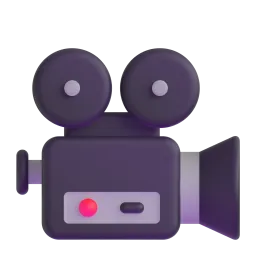
Represents the act of filming, creating content, and video production. Use it when discussing camera work or shooting footage. The appearance is consistent across most platforms, showing a classic movie camera.
Represents the computer used for editing, rendering, and working on Davinci Resolve. Use it to indicate the workspace or the hardware involved. The design is generally consistent, but some platforms show a more modern iMac-style computer.
Symbolizes color grading, artistic expression, and the creative aspects of video editing. Use it when discussing color correction or visual effects. The palette's colors and design vary slightly across platforms.
Represents settings, configurations, and technical aspects of Davinci Resolve. Use it when discussing software settings or hardware configurations. The gear design is fairly standard across platforms.
Noto Animated
Apache 2.0
Noto Animated
Apache 2.0
Noto Animated
Apache 2.0
ℹ️ All images shown are from open-licensed sources (Apache 2.0, MIT, CC-BY 4.0, CC BY-SA 4.0) and are free to use.
Copy and share
Add relevant emojis to your video titles to make them more eye-catching on platforms like YouTube. For example: 'Davinci Resolve Tutorial 🎬'.
Use emojis in your social media updates to express your excitement or frustration with the editing process. For example: 'Rendering is taking forever 🖥️😩'.
Use emojis to visually represent the different stages of your video editing workflow. For example: 'Shooting 🎥 Editing ✂️ Color Grading 🎨 Rendering 🖥️'.
Use emojis to highlight specific skills or techniques you're using in Davinci Resolve. For example: 'Mastering color grading in Davinci Resolve 🎨✨'.
Be aware that emoji appearance can vary across platforms (Apple, Google, Samsung, etc.). Test your messages to ensure they display as intended.
This content was created with AI technology, enriched with Unicode Consortium data and community contributions. AI Disclosure →