Authentication, in the digital world, refers to the process of verifying the identity of a user, device, or other entity attempting to access a system or resource. It's a crucial aspect of security, ensuring that only authorized individuals or systems gain entry. Emojis can be used to visually represent different stages and methods of authentication, from the initial login attempt to successful verification and potential security breaches. Understanding the nuances of these emojis can add clarity and a touch of personality to messages related to online security, account management, and digital access.
This guide explores the various emojis that can be used to represent authentication, their meanings, and how they can be incorporated into your digital communications. We'll delve into the use of lock and key emojis to symbolize security, checkmarks and green lights to indicate successful verification, and warning signs to highlight potential security threats. Whether you're discussing password resets, two-factor authentication, or the importance of strong passwords, this guide will help you express these concepts effectively using emojis. Consider the context and your audience when selecting emojis to ensure your message is clear and easily understood.
Remember that emoji rendering can vary across platforms (Apple, Google, Samsung, Microsoft, WhatsApp, etc.), so it's always a good idea to double-check how your chosen emojis appear on different devices to ensure your message is conveyed as intended. Using emojis thoughtfully can make discussions about authentication more engaging and accessible, especially for those who may not be familiar with technical jargon.
18+Emoji
8Messages
5Tips
⚡
Quick Copy
Copy most popular emojis with one click
🔑
Key
🔒
Locked
🔓
Unlocked
✅
Check Mark
❌
Cross Mark
🛡️
Shield
🚨
Police Car Light
🤳
Selfie
🆔
ID
🧐
Face with Monocle
🧪 Emoji Mashups (Emoji Kitchen)
Fun mashups created by combining Authentication emojis with Emoji Kitchen. Download and use them freely.
Help grow the Authentication collection! Suggest emojis or symbols you think are missing and contribute to the community.
💡 Missing an emoji/symbol?
📖
Meaning & Usage
🔑
Key Emoji
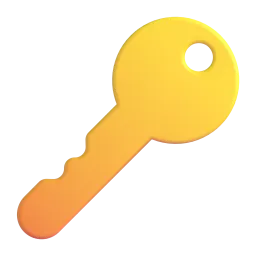
Represents access, security, and unlocking. It can symbolize the key to an account or system, or the process of gaining access. On some platforms, the key design differs, but the meaning remains consistent.
🔒
Locked Emoji
Indicates security, privacy, and restricted access. It often represents a secure account or system. The visual style varies between platforms, with some showing a padlock and others a more stylized lock.
🔓
Unlocked Emoji
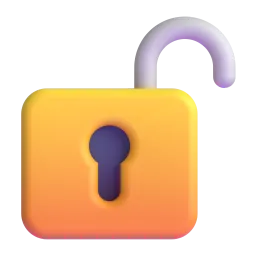
Signifies that something is accessible, open, or unsecured. It can represent a successful login or a vulnerability in security. The visual representation is generally consistent across platforms, showing an open padlock.
✅
Check Mark Emoji
Represents confirmation, success, and verification. It indicates that a process, such as authentication, has been completed successfully. The style is consistent across platforms, though the color and weight of the mark may vary slightly.
❌
Cross Mark Emoji
Represents denial, failure, or rejection. It indicates that a process, such as authentication, has failed. The appearance is generally a red 'X' across all platforms.
🛡️
Shield Emoji
Symbolizes protection, security, and defense. It can represent a security system or a measure taken to protect against unauthorized access. The design varies across platforms, with some showing a more detailed shield than others.
🚨
Police Car Light Emoji
Indicates an alert, warning, or emergency. It can represent a security breach or a potential threat to a system. The animation and style vary across platforms, but the meaning remains consistent.
📱
Platform Appearances
🔑 Key
Google NotoApache 2.0
Twitter/XCC-BY 4.0
Fluent 3DMIT
OpenMojiCC BY-SA 4.0
🔒 Locked
Google NotoApache 2.0
Twitter/XCC-BY 4.0
Noto AnimatedApache 2.0
Fluent 3DMIT
OpenMojiCC BY-SA 4.0
🔓 Unlocked
Google NotoApache 2.0
Twitter/XCC-BY 4.0
Fluent 3DMIT
OpenMojiCC BY-SA 4.0
✅ Check Mark
Google NotoApache 2.0
Twitter/XCC-BY 4.0
Noto AnimatedApache 2.0
Fluent 3DMIT
OpenMojiCC BY-SA 4.0
❌ Cross Mark
Google NotoApache 2.0
Twitter/XCC-BY 4.0
Noto AnimatedApache 2.0
Fluent 3DMIT
OpenMojiCC BY-SA 4.0
🛡️ Shield
Google NotoApache 2.0
Twitter/XCC-BY 4.0
ℹ️ All images shown are from open-licensed sources (Apache 2.0, MIT, CC-BY 4.0, CC BY-SA 4.0) and are free to use.
💬
Ready Messages
Copy and share
Authentication successful! ✅ Welcome! 🎉
Password reset initiated. Check your email 📧 and follow the link 🔗 to create a new password. 🔑
Two-factor authentication is now enabled! 🛡️ Your account is more secure. 👍
Login attempt failed. ❌ Please check your username and password. 🧐
Suspicious activity detected! 🚨 Please verify your account immediately. 🔒
Don't forget to update your password regularly! 🗓️ A strong password is your first line of defense. 🛡️
Security alert! 🚨 Unrecognized device trying to access your account. 🔓 Change your password now! 🔑
Selfie verification complete! ✅ Welcome back! 🤳
🎨
Related Emojis
💻
Computer
📱
Mobile Phone
👤
Bust in Silhouette
🔐
Locked with Key
🌐
Globe with Meridians
⚙️
Gear
📧
Email
🔑
Key
💡
Usage Tips
🎯
Choose Clear Emojis
Select emojis that are easily recognizable and directly related to authentication concepts. Avoid ambiguous emojis that could be misinterpreted.
🎯
Consider Platform Differences
Be aware that emojis can appear differently across platforms (Apple, Google, Samsung, etc.). Test your messages to ensure they are displayed correctly on the intended devices.
🎯
Use Emojis Sparingly
Don't overuse emojis. A few well-placed emojis can enhance your message, but too many can make it cluttered and confusing.
🎯
Maintain Professionalism
When communicating about authentication in a professional context, use emojis judiciously. Avoid overly playful or informal emojis.
🎯
Test Emoji Combinations
Some emoji combinations can have unintended meanings. Test your messages with different audiences to ensure they are interpreted as intended.
🔗
Similar Combinations
Discover more emoji combinations related to Authentication