🔑
Key Emoji
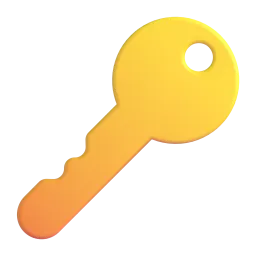
Represents physical access, security, or a solution to a problem. On Apple, it's a silver key, while on Google, it's a golden key. Use it to indicate gaining entry or unlocking something.
The concept of "access" can be represented through a variety of emojis, depending on the context. It can refer to physical access, like entering a building or using a key. It can also represent digital access, such as logging into an account or gaining permission to view certain content. Furthermore, access can symbolize opportunity, privilege, or the ability to participate in something. The choice of emoji will depend on the specific nuance you wish to convey. Consider the audience and the overall tone of your message when selecting the most appropriate emoji to represent access. For instance, a key emoji might be suitable for a discussion about physical security, while a lock emoji could represent restricted access or privacy. The open lock emoji, conversely, could indicate unlocked access or freedom. The person entering a building emoji can represent physical entry or participation in an event. The eyes emoji might imply access to information or surveillance. Think about the specific type of access you are referring to and choose the emoji that best reflects that meaning. Using emojis effectively can add clarity and emotional depth to your communication about access.
Copy most popular emojis with one click
Fun mashups created by combining Access emojis with Emoji Kitchen. Download and use them freely.


Help grow the Access collection! Suggest emojis or symbols you think are missing and contribute to the community.
💡 Missing an emoji/symbol?
Represents physical access, security, or a solution to a problem. On Apple, it's a silver key, while on Google, it's a golden key. Use it to indicate gaining entry or unlocking something.
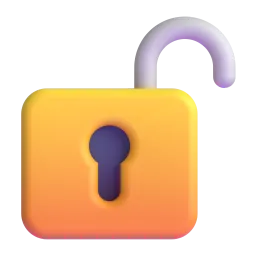
Symbolizes freedom, accessibility, or the removal of restrictions. It signifies that something is open and available. The design varies slightly across platforms, but the meaning remains consistent.
Represents security, privacy, or restricted access. It indicates that something is protected or unavailable. Use it to convey a sense of confidentiality or limitation.
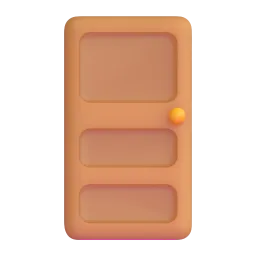
Represents physical entry, opportunity, or a new beginning. It can symbolize entering a building, a room, or a new phase in life. The design is generally a wooden door across platforms.
Can represent access to information, observation, or surveillance. It can also imply awareness or attention. The style of the eyes varies slightly across platforms.
Represents digital access, technology, or online activity. It can symbolize accessing websites, applications, or online services. The design is generally a silver laptop across platforms.
Represents global access, the internet, or worldwide connectivity. It signifies access to information and communication across borders. The design is a blue globe with white meridians.






 Noto Animated
Apache 2.0
Noto Animated
Apache 2.0





 Noto Animated
Apache 2.0
Noto Animated
Apache 2.0

ℹ️ All images shown are from open-licensed sources (Apache 2.0, MIT, CC-BY 4.0, CC BY-SA 4.0) and are free to use.
Copy and share
Choose emojis that accurately reflect the type of access you're discussing. A physical key (🔑) is different from digital access (💻).
Be aware that emoji designs can vary across platforms (Apple, Google, Samsung, etc.). This can subtly affect the message's interpretation.
Use multiple emojis to create a more nuanced meaning. For example, 🔑🔓 can represent unlocking something important.
Ensure your emoji usage is clear and avoids misinterpretation. Test your message on different devices to see how it appears.
Emojis can add emotion to your message. Use them appropriately to match the tone of your communication. A locked emoji (🔒) can sound more serious than a simple 'no access' message.
This content was created with AI technology, enriched with Unicode Consortium data and community contributions. AI Disclosure →