❤️ My Favorites

🎨
🖌️
✏️
🖼️
🧰
🚀 Emoji Guide

🎨🖌️ Adobe Photoshop Emojis

Adobe Photoshop is the industry-standard software for photo editing, graphic design, and digital art. Expressing your creativity and workflow with emojis can add a fun and visual layer to your communication. This guide explores the best emojis to use when discussing Photoshop, whether you're sharing tips, showcasing your work, or simply chatting with fellow designers. We'll cover emojis that represent different aspects of the software, from its tools and features to the overall creative process. Understanding the nuances of these emojis will help you communicate more effectively and inject some personality into your digital conversations. Consider how different platforms render emojis; a subtle gradient on Apple might be a flat color on Android, influencing how your message is perceived.

18+ Emoji
8 Messages
5 Tips

Quick Copy

Copy most popular emojis with one click

🎨
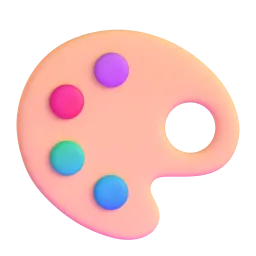
Artist Palette
🖌️
Paintbrush
✏️
Pencil
🖼️
Framed Picture
🧰
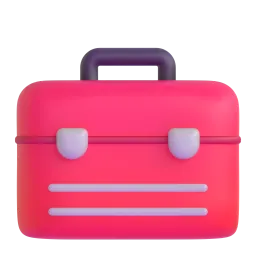
Toolbox
💻
Laptop
💾
Floppy Disk
Sparkles
Check Mark
🔥
Fire

🧪 Emoji Mashups (Emoji Kitchen)

Fun mashups created by combining Adobe Photoshop emojis with Emoji Kitchen. Download and use them freely.

+
🎨 and ✏️ emoji combination - Adobe Photoshop emoji mashup
+
🖼️ and 💻 emoji combination - Adobe Photoshop emoji mashup
+
💾 and ✅ emoji combination - Adobe Photoshop emoji mashup

👥 Community Contributions

✅ 0 approved ⏳ 0 pending

Help grow the Adobe Photoshop collection! Suggest emojis or symbols you think are missing and contribute to the community.

💡 Missing an emoji/symbol?

📖 Meaning & Usage

🎨

Artist Palette

Represents artistic creation, design, and color. Use it to indicate a Photoshop project involving a wide range of colors and artistic techniques. On some platforms, the palette may appear with different amounts of paint or different color arrangements.

🖌️

Paintbrush

Symbolizes painting, drawing, and applying effects. Use it when discussing brush tools, painting techniques, or adding artistic touches in Photoshop. The appearance varies slightly across platforms, with some showing a more detailed brush.

✏️

Pencil

Represents sketching, outlining, and precise edits. Use it when discussing detailed work, drawing paths, or making fine adjustments in Photoshop. Some platforms show a colored pencil, while others show a standard graphite pencil.

🖼️

Framed Picture

Represents a finished artwork or design. Use it to showcase completed Photoshop projects or to indicate the final result of your editing process. The frame design varies across platforms, from simple borders to ornate designs.

💻

Laptop

Represents the digital workspace and the use of software. Use it to indicate that you are working on Photoshop on your computer. The laptop design varies across platforms, showing different brands and screen contents.

💾

Floppy Disk

Represents saving your work. While outdated in physical form, it's still a universal symbol for saving files, including Photoshop documents. Its retro appearance can also add a touch of nostalgia.

Sparkles

Represents enhancement, improvement, and a touch of magic. Use it to highlight the transformative power of Photoshop and the added polish it brings to images. The number and arrangement of sparkles can vary across platforms.

📱 Platform Appearances

🎨 Artist Palette

Artist Palette Google Noto emoji Google Noto Apache 2.0
Artist Palette Twitter/X emoji Twitter/X CC-BY 4.0
Artist Palette Fluent 3D emoji Fluent 3D MIT
Artist Palette OpenMoji emoji OpenMoji CC BY-SA 4.0

🖌️ Paintbrush

Paintbrush Google Noto emoji Google Noto Apache 2.0
Paintbrush Twitter/X emoji Twitter/X CC-BY 4.0
Paintbrush OpenMoji emoji OpenMoji CC BY-SA 4.0

✏️ Pencil

Pencil Google Noto emoji Google Noto Apache 2.0
Pencil Twitter/X emoji Twitter/X CC-BY 4.0
Pencil Noto Animated emoji Noto Animated Apache 2.0
Pencil OpenMoji emoji OpenMoji CC BY-SA 4.0

🖼️ Framed Picture

Framed Picture Google Noto emoji Google Noto Apache 2.0
Framed Picture Twitter/X emoji Twitter/X CC-BY 4.0
Framed Picture OpenMoji emoji OpenMoji CC BY-SA 4.0

🧰 Toolbox

Toolbox Google Noto emoji Google Noto Apache 2.0
Toolbox Twitter/X emoji Twitter/X CC-BY 4.0
Toolbox Fluent 3D emoji Fluent 3D MIT
Toolbox OpenMoji emoji OpenMoji CC BY-SA 4.0

💻 Laptop

Laptop Google Noto emoji Google Noto Apache 2.0
Laptop Twitter/X emoji Twitter/X CC-BY 4.0
Laptop Noto Animated emoji Noto Animated Apache 2.0
Laptop Fluent 3D emoji Fluent 3D MIT
Laptop OpenMoji emoji OpenMoji CC BY-SA 4.0

ℹ️ All images shown are from open-licensed sources (Apache 2.0, MIT, CC-BY 4.0, CC BY-SA 4.0) and are free to use.

💬 Ready Messages

Copy and share

Just finished editing this photo in Photoshop! ✨ What do you think? 🖼️

Working on a new design project in Photoshop. 🎨 So many possibilities! 🖌️

Need to fix this image in Photoshop ASAP! 🧰 Anyone have any tips? 🤔

Photoshop is being slow today 😫. Time for a coffee break ☕ and then back to editing! 💻

Saving my Photoshop file before my computer crashes! 💾 Always a good idea! ✅

This Photoshop tutorial is 🔥! Learning so much! 📚

Creating some amazing digital art with Photoshop! ✏️ Stay tuned for the final reveal! 🖼️

Photoshop skills on point! 😎 Just made this image look incredible! ✨

💡 Usage Tips

🎯

Use Sparingly

Don't overuse emojis. A few well-placed emojis can enhance your message, but too many can be distracting.

🎯

Consider Context

Make sure the emojis you use are appropriate for the context of your message. A professional setting might require more restraint.

🎯

Platform Differences

Be aware that emojis can look different on different platforms (Apple, Android, Windows). Test your messages to ensure they appear as intended.

🎯

Combine for Clarity

Combine emojis to create more specific meanings. For example, 💻🎨 could represent working on digital art.

🎯

Accessibility

Consider users with screen readers. Avoid using emojis as the only way to convey important information. Always provide alternative text descriptions.

🤖

This content was created with AI technology, enriched with Unicode Consortium data and community contributions. AI Disclosure →

✍️ Emojigo Content Team · Last update: April 2026